
WebP to JPG Converter Online – Convert WebP Images Easily

Convert WebP images to JPG quickly and easily with our WebP to JPG converter online free tool. You have to upload your WebP image, convert it to JPG directly in your browser, and download your JPG file in seconds directly in your web browser — no software installation or sign-up required.

Drag and drop your WebP image here

or click to select a WebP image

WebP files only

Conversion Options

Choose your preferred JPG output settings.

90%
Higher quality produces a clearer JPG.
Keep the original dimensions or resize the image.
WEBP → JPG
Your converted image will be saved as JPG.
🔒 Browser-based
Your image is processed directly in your browser.

Your WebP Image

0 files
WebP image preview

WebP Image

-

WEBP → JPG

Converting WebP to JPG...

Please wait while your image is being converted.

Your JPG is ready

Your WebP image has been successfully converted to JPG.

More Useful Image Tools

Explore more free tools to convert, resize, compress, and manage your images online.

What Is a WebP to JPG Converter?

A WebP to JPG converter is an online tool that changes WebP images into the widely supported JPG format. WebP is designed to provide efficient image compression and smaller file sizes, while JPG remains one of the most commonly used image formats across websites, applications, devices, and document workflows.

Converting WebP to JPG can be useful when an image needs to work with software, platforms, or devices that do not fully support WebP files. With JPGJoin, you can upload a WebP image, convert it directly in your browser, and download the resulting JPG file without installing additional software.

Why Convert WebP Images to JPG?

Although WebP is useful for modern web images, JPG can be more convenient when you need broad compatibility. JPG files are supported by many image editors, office applications, websites, mobile devices, and document tools.

A WebP to JPG online converter makes this process simple. Instead of opening an image editor and manually exporting the file, you can convert the image in a few steps and save it as a JPG file ready for your next task.

WebP to JPG Conversion Without Software

JPGJoin processes the conversion directly in your browser. This means you can convert a WebP image without installing a desktop application or creating an account. You can also choose the image quality and resize the output when needed before downloading the converted JPG.

How to Convert WebP to JPG Online?

Convert your WebP image to JPG in just a few simple steps without installing any software.

01

Upload Your WebP Image

Start by uploading the WebP image you want to convert. You can select a WebP file from your device or simply drag and drop it into the WebP to JPG converter.
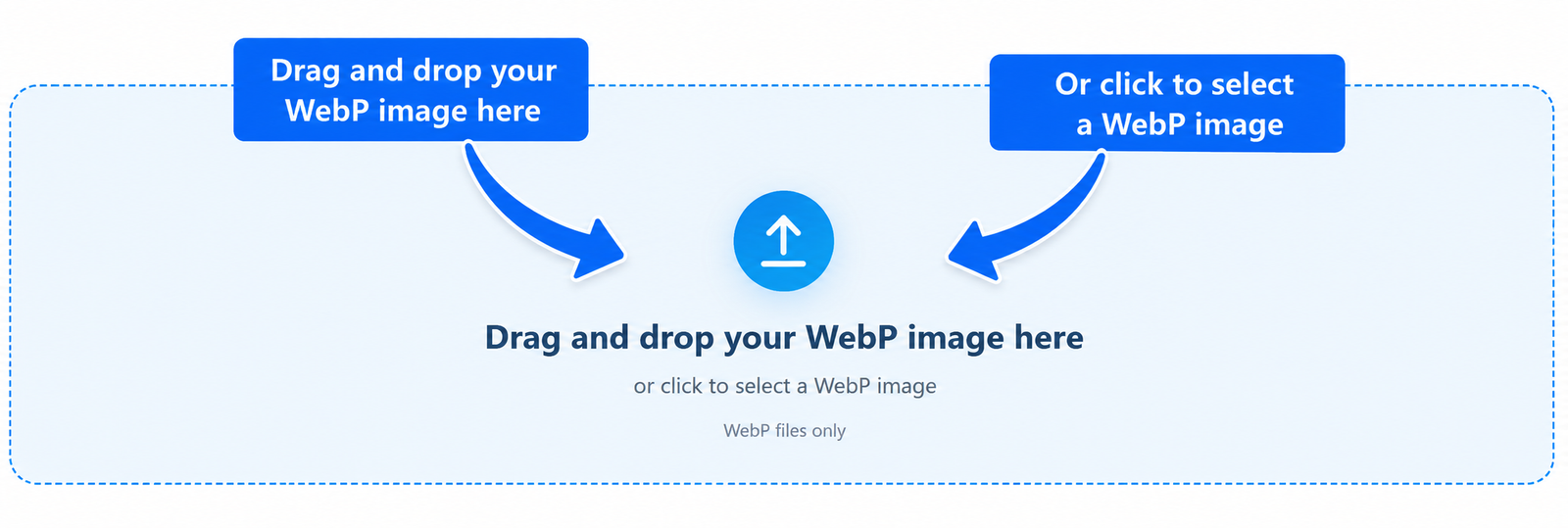
Upload a WebP image to convert it to JPG
02

Choose Your Conversion Options

Before converting your image, choose the JPG quality and preferred image size if needed. You can keep the original size or select a maximum dimension for the converted JPG.
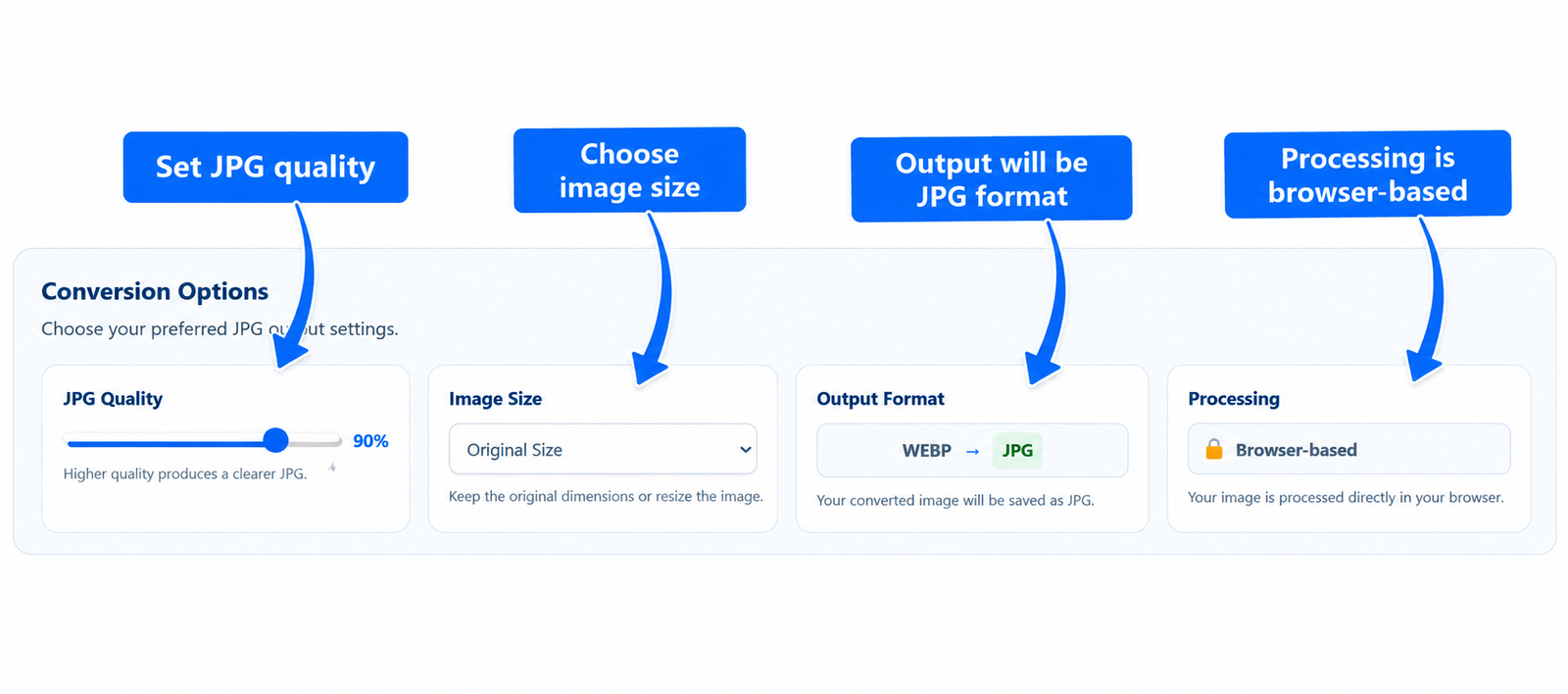
Choose JPG quality and image size options before conversion
03

Convert WebP to JPG

After selecting your preferred settings, click the Convert to JPG button. Your WebP image is converted into JPG format directly in your browser.
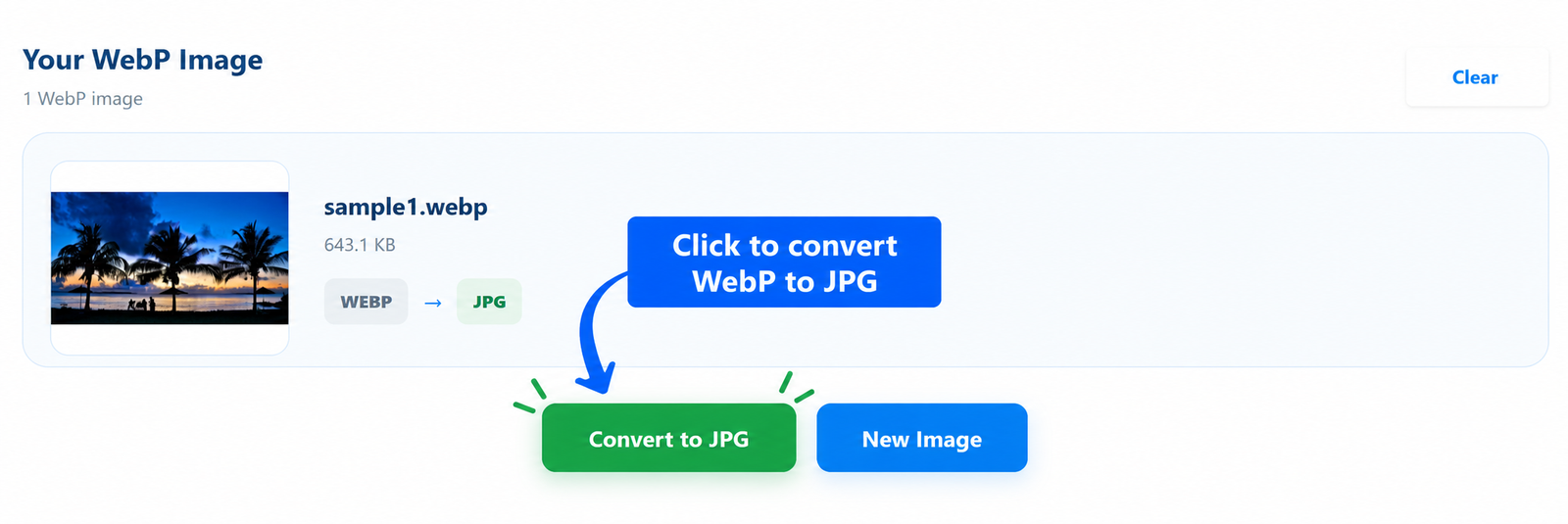
Convert the uploaded WebP image to JPG format
04

Download Your JPG Image

Once the conversion is complete, click the Download JPG button to save your converted image to your device. Your WebP image is now ready in JPG format for easy use and sharing.
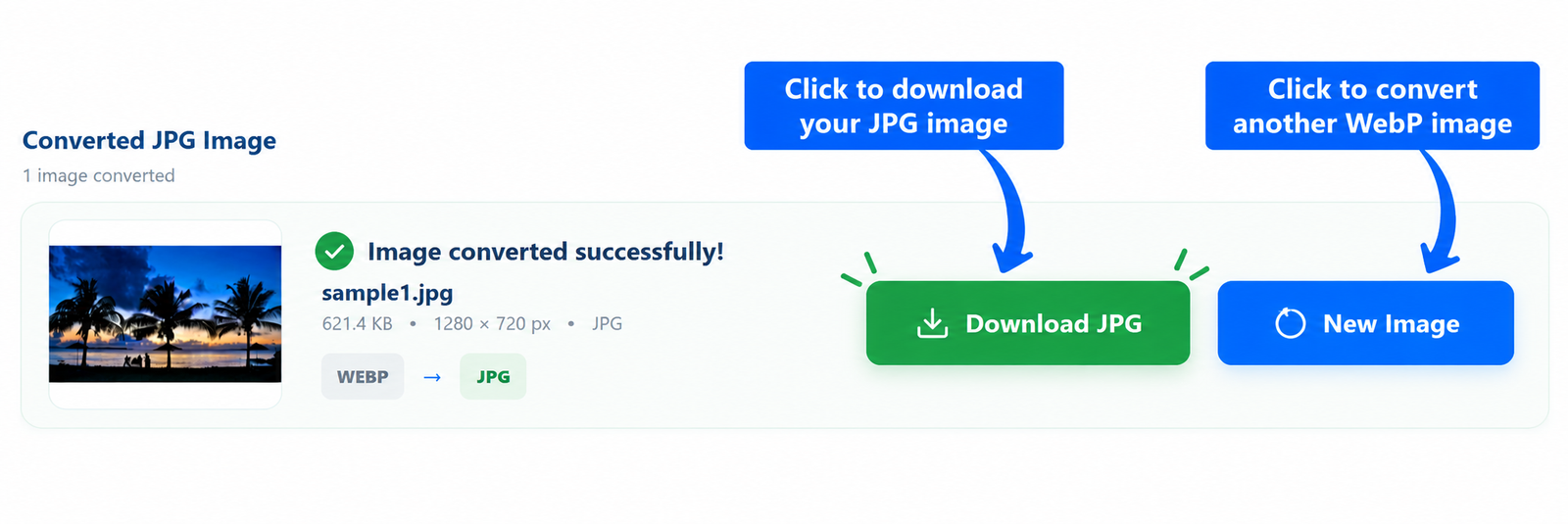
Download the converted JPG image

WebP vs JPG: Which Image Format Should You Use?
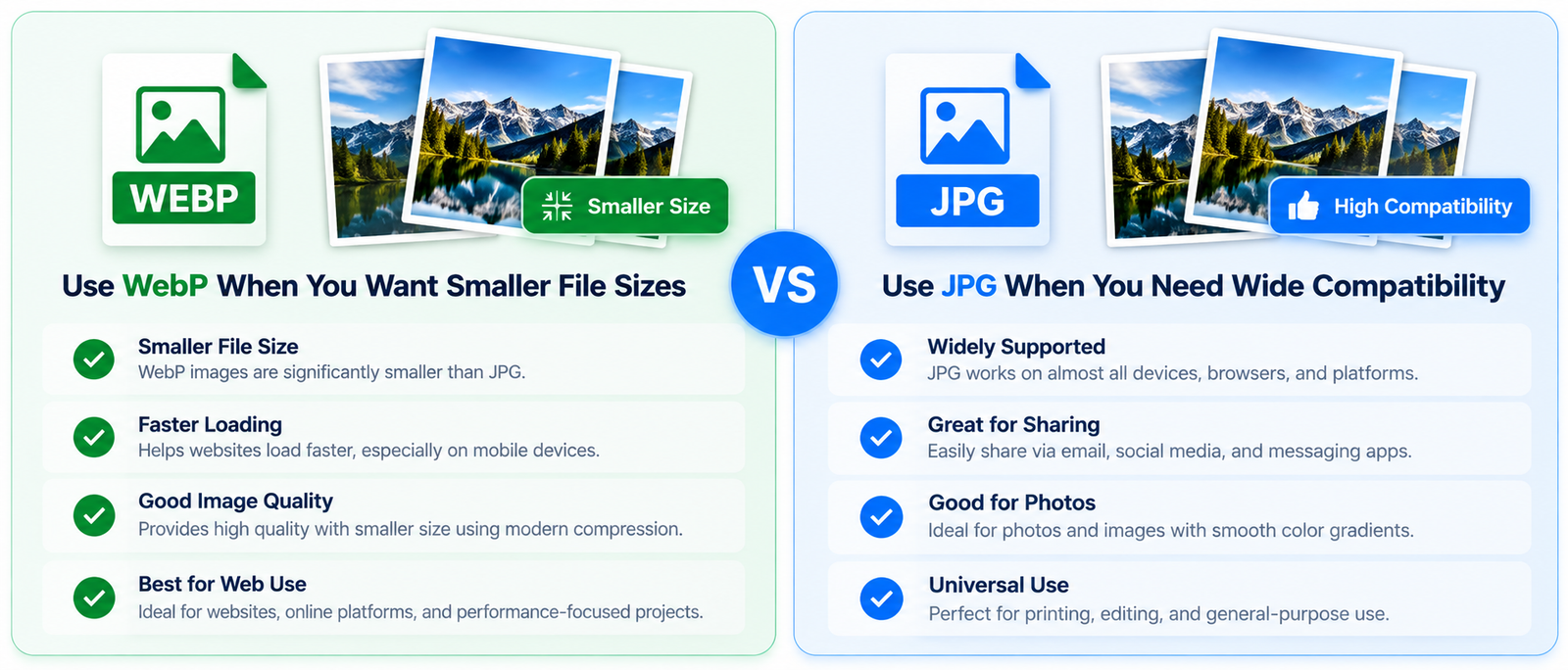
 WebP vs JPG: Which Image Format Should You Use?

WebP and JPG are both popular image formats, but they are designed with different priorities in mind. WebP is a modern image format designed to provide efficient compression, while JPG is a widely supported format commonly used for photographs and everyday images.

When WebP Is a Better Choice

WebP can be a useful choice when you want to reduce image file size while maintaining good visual quality. It is commonly used for websites and modern web applications where efficient image delivery is important.

When JPG Is More Convenient

JPG is a practical choice when compatibility is more important. JPG images are supported by a wide range of devices, applications, websites, image editors, and document tools, making the format convenient for sharing and everyday use.

WebP and JPG at a Glance

Feature WebP JPG
Best for Modern websites and efficient image delivery Photos and general-purpose images
File size Often provides efficient compression Generally offers good compression
Compatibility Supported by modern browsers and applications Very widely supported
Image quality Supports efficient lossy and lossless compression Uses lossy compression for typical JPG images
Everyday sharing Useful for supported platforms Convenient across many devices and applications

Convert WebP to JPG When You Need Wider Compatibility

If a website, application, device, or workflow requires a JPG image, converting your WebP file can make it easier to use. With our WebP to JPG converter online, you can upload your WebP image, choose your preferred conversion settings, and create a JPG file directly in your browser.

Features of Our WebP to JPG Converter

Our WebP to JPG converter online is designed to make image conversion simple and convenient. You can upload a WebP image, choose your preferred JPG quality and image size, convert it directly in your browser, and download the finished JPG file.

Feature What It Offers Why It Helps
WebP to JPG Conversion Convert WebP images into JPG format Creates a widely supported image file for your next task
Adjustable JPG Quality Choose the JPG quality level before conversion Lets you balance image quality and file size
Image Size Options Keep the original size or choose a maximum dimension Helps create a JPG suitable for different uses
Browser-Based Processing Convert your image directly in your browser No desktop software installation is required
Simple Interface Clear upload, settings, conversion, and download controls Makes the conversion process easy to follow
Privacy-Friendly Image processing takes place directly in your browser Your image does not need to be uploaded to a separate server

Control JPG Quality Before Conversion

You can adjust the JPG quality before converting your WebP image. This gives you more control over the balance between visual quality and the resulting file size.

Resize the Image if Needed

If you do not need the original dimensions, you can select a maximum image size before conversion. This can be useful when you need a smaller JPG for websites, documents, sharing, or other applications.

Convert WebP Images Directly in Your Browser

The conversion is performed directly in your browser, so there is no need to install additional image conversion software. Upload your WebP image, select your options, convert it, and download the resulting JPG file.

Frequently Asked Questions About WebP to JPG Conversion

What is a WebP to JPG converter?

A WebP to JPG converter is a tool that changes an image from WebP format into JPG format. It can be useful when you need an image in a format that is widely supported by different applications, websites, devices, and document tools.

Can I convert WebP to JPG online for free?

Yes. You can use the WebP to JPG converter online on JPGJoin to convert your WebP image without installing additional software. Upload your image, choose your preferred options, convert it, and download the resulting JPG file.

Does converting WebP to JPG reduce image quality?

JPG uses lossy compression, so the conversion can affect image quality depending on the selected settings. JPGJoin provides a JPG quality option so you can choose an appropriate balance between image quality and file size.

Can I resize my WebP image while converting it to JPG?

Yes. The converter provides image size options that allow you to keep the original dimensions or select a maximum image dimension before creating the JPG file.

Are my WebP images uploaded to a server?

The conversion is performed directly in your browser. This means the image does not need to be sent to a separate server for the conversion process.

Can I convert a transparent WebP image to JPG?

JPG does not support transparent backgrounds. If your WebP image contains transparency, the transparent areas need to be represented with a solid background when the image is converted to JPG.

Where can I use the converted JPG image?

A converted JPG can be used for websites, documents, presentations, image editing, social media, sharing, and other applications that support the JPG format.

How do I convert WebP to JPG with JPGJoin?

Simply upload your WebP image, select the desired JPG quality and image size, and click Convert to JPG. When the conversion is complete, click Download JPG to save the converted image to your device.

Scroll to Top