
Online Image Resizer - Resize Images for Free

Resize images online with JPG Join's free online image resizer. Resize JPG, PNG, and WebP images quickly by adjusting image dimensions, changing width and height, and optimizing your photos without installing any software. Our tool makes it easy to resize JPG, PNG Images online while keeping your files clear, secure, and ready for websites, social media, emails, and everyday use.

📐

Drag and Drop Images Here

or click to select images

JPG • JPEG • PNG • WEBP

📊 Image Size Control

×
px

Why Resize Images Online with JPG Join?

When you need to adjust image dimensions quickly, a reliable image resizer online tool makes the process simple and JPG Join helps you resize images online without installing software or using complicated editing programs.

Whether you want to resize JPG images, change PNG image size, or optimize WebP images, our online tool provides a fast and convenient solution directly from your browser.

Resize Images Online Without Losing Quality

Large images can slow down websites, increase loading times, and create problems when uploading files but using a professional photo resizer online helps you reduce unnecessary image dimensions while keeping your photos clear and optimized.

With JPG Join, you can easily change image size online by selecting custom width and height values. The tool automatically maintains proportions when required, helping you create properly sized images for different platforms.

Support for JPG, PNG and WebP Image Resizing

Different platforms require different image formats and dimensions. JPG Join allows you to resize JPG online, adjust PNG images, and work with modern WebP image resizing without additional software.

Whether you are preparing images for a website, social media, email attachments, or online applications, our online image resizer helps you create the right size quickly and easily.

How to Resize Images Online with JPG Join

Learning how to resize images online is simple with JPG Join. You can quickly adjust image dimensions, change photo size, and optimize your files without installing any software. Follow these easy steps to resize your images directly from your browser.

Step 1: Upload Your Image

Start by uploading your JPG, PNG, or WebP file into the online image resizer. You can drag and drop your image or select a file from your device.
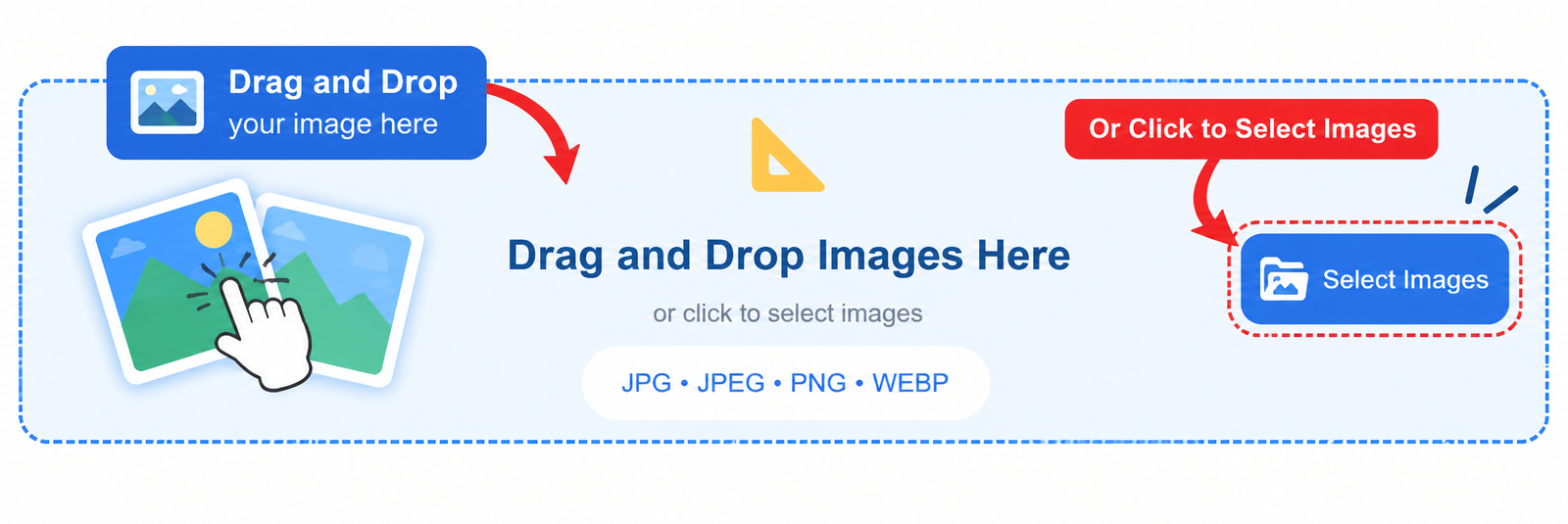
Upload image to resize images online tool

Step 2: Choose Image Dimensions

Select your required width and height to change image size online. You can maintain the aspect ratio or set custom dimensions based on your requirements.
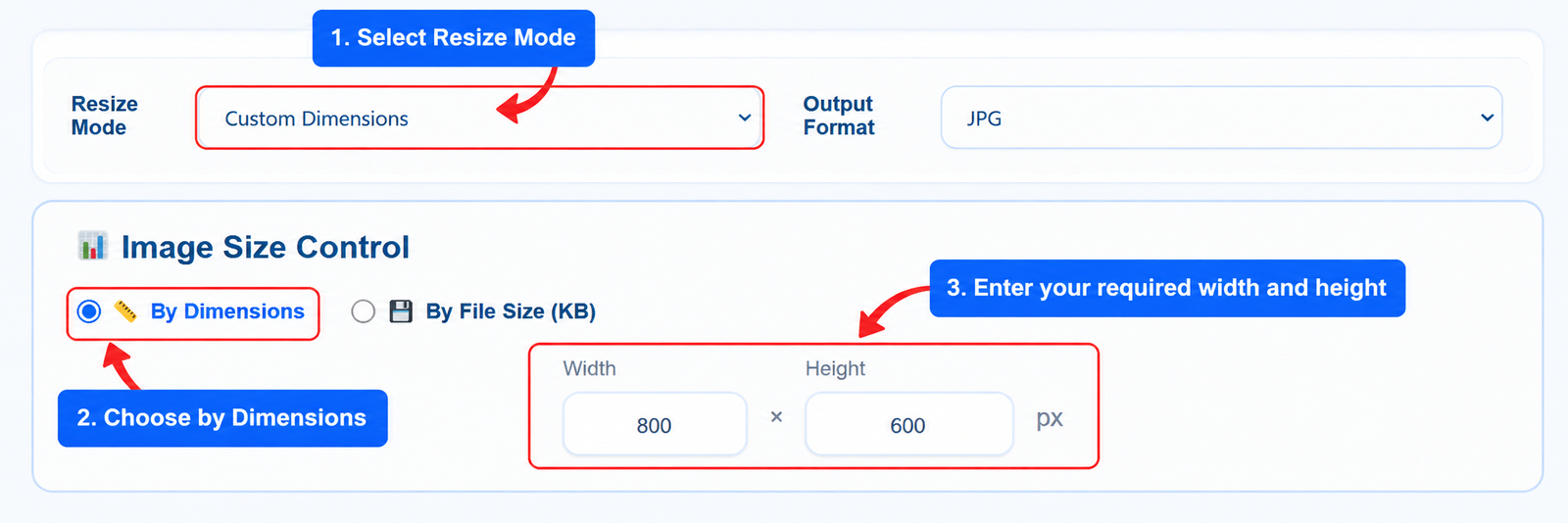
Choose image dimensions in online image resizer

Step 3: Adjust Resize Settings

Choose your preferred output format and resize options. JPG Join supports resize JPG online, PNG resizing, and WebP image optimization for different needs.
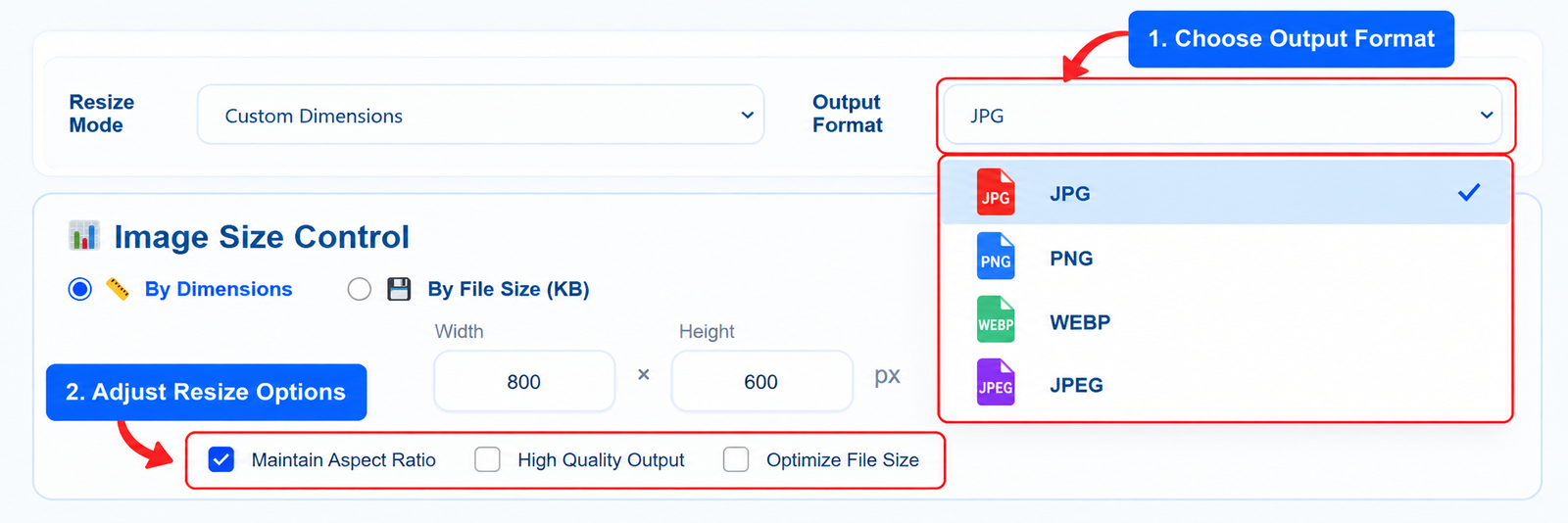
Adjust image resize settings online

Step 4: Download Your Resized Image

After processing, download your resized image instantly. Your optimized file is ready for websites, social media, email attachments, and online platforms.
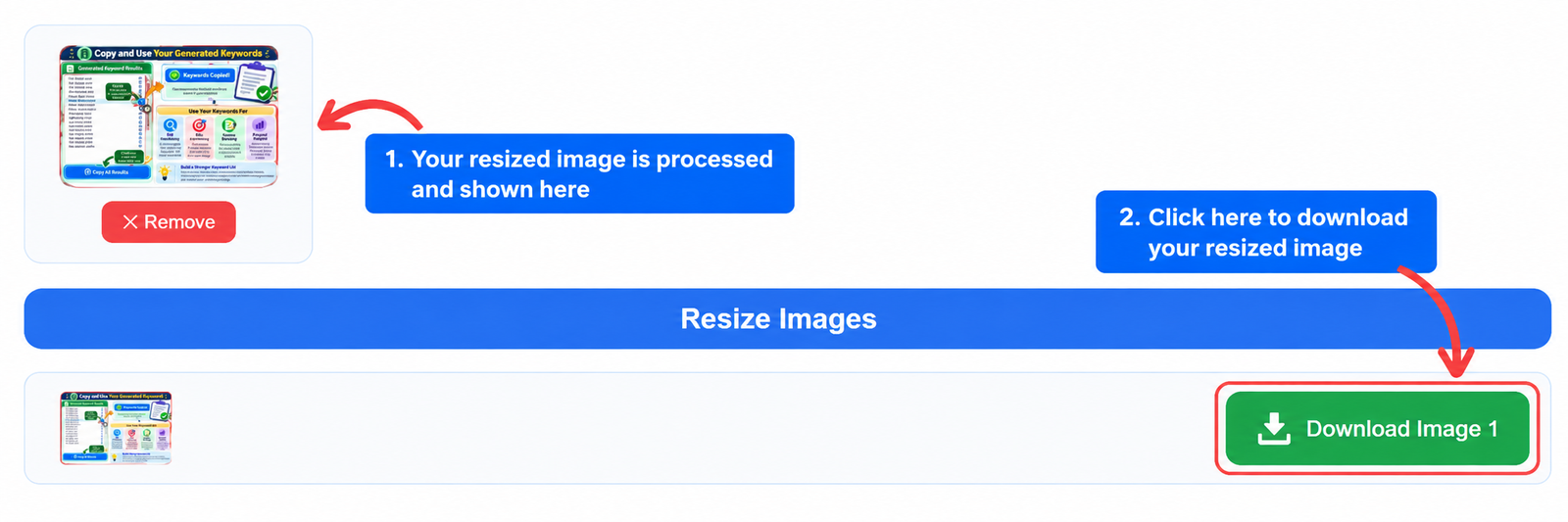
Download resized image after using image resizer online

Online Image Resizer vs Traditional Image Editing Software

Choosing the right way to resize images online depends on your needs. An online image resizer provides a quick solution for changing image dimensions, while traditional editing software offers advanced tools for professional design work.

For everyday tasks like resize JPG images, reducing photo dimensions, or preparing images for websites and social media, an online tool can save time and make the process easier.

Feature Online Image Resizer Traditional Image Software
Installation No installation required Requires software download
Ease of Use Simple and beginner friendly Requires learning tools and settings
Resize Images Quickly resize JPG, PNG, and WebP files Available with additional editing steps
Speed Fast browser-based processing Depends on software and system performance
Advanced Editing Focused on image resizing and optimization Includes advanced design features
Best For Quick image resizing, websites, social media, and daily use Professional photo editing and graphic design

JPG Join is designed for users who need a simple way to change image size online without complicated software. Resize your images quickly while keeping the process simple and convenient.

FAQs About Resize Images Online

Find answers to common questions about using an online image resizer. Learn how to resize images online, change image dimensions, and optimize your photos quickly with JPG Join.

An image resizer online tool allows you to change the width, height, and dimensions of an image without installing software. It helps you quickly resize JPG, PNG, and WebP files for websites, social media, emails, and other platforms.

To resize images online, upload your image, select your preferred dimensions, adjust resize settings, and download the resized file. JPG Join processes your image directly in your browser for a simple and fast experience.

Yes, you can resize JPG images while maintaining good visual quality. Choosing suitable dimensions and keeping the correct aspect ratio helps preserve image clarity after resizing.

Yes, JPG Join supports PNG image resizing and WebP image resizing. You can adjust image dimensions and download your resized file in your preferred format.

Yes, JPG Join provides a free online image resizer that allows users to change image size online without registration or complicated software installation.

Yes, you can resize photos online for websites, blogs, Instagram, Facebook, and other platforms by selecting the required image dimensions.

JPG Join focuses on a simple and private resizing experience. Images are processed directly in your browser, helping you resize files without unnecessary uploads.

Scroll to Top