
Rotate Image Online – Rotate Multiple JPG, PNG and JPEG Images

Easily rotate image files online with JPGJoin - upload one or multiple JPG, PNG, or JPEG images and quickly rotate them left or right to correct their orientation. You can rotate multiple images in one go, adjust their direction, and download the rotated images directly from your browser. No software installation is required, making it a simple way to prepare photos, graphics, screenshots, and other images for websites, documents, sharing, and everyday use.

🖼️

Rotate Images Online

Drag and drop your JPG, JPEG or PNG images here, or select images from your device.

JPG · JPEG · PNG  •  Multiple images supported  •  Free & browser-based
Selected Images 0 images
No images selected. Add images above to begin.
🔄 Rotation

Choose the direction you want to rotate your images.

🎨 Background

Transparent background is available when saving images as PNG.

📷 Output Format

Keep the original format or choose JPG or PNG for your rotated images.

More Useful Image Editing Tools

Quickly access our most useful images conversion and editing tools beside Online Image Rotater.

Need to change the direction of your photos or images? JPGJoin makes it easy to rotate image files online without installing any software. Upload one or multiple JPG, JPEG, or PNG images, choose the rotation direction you need, and quickly create correctly oriented images in just a few clicks. Our online images rotater tool works directly in your browser, making it useful for fixing sideways photos, preparing images for websites, documents, social media, and everyday sharing.
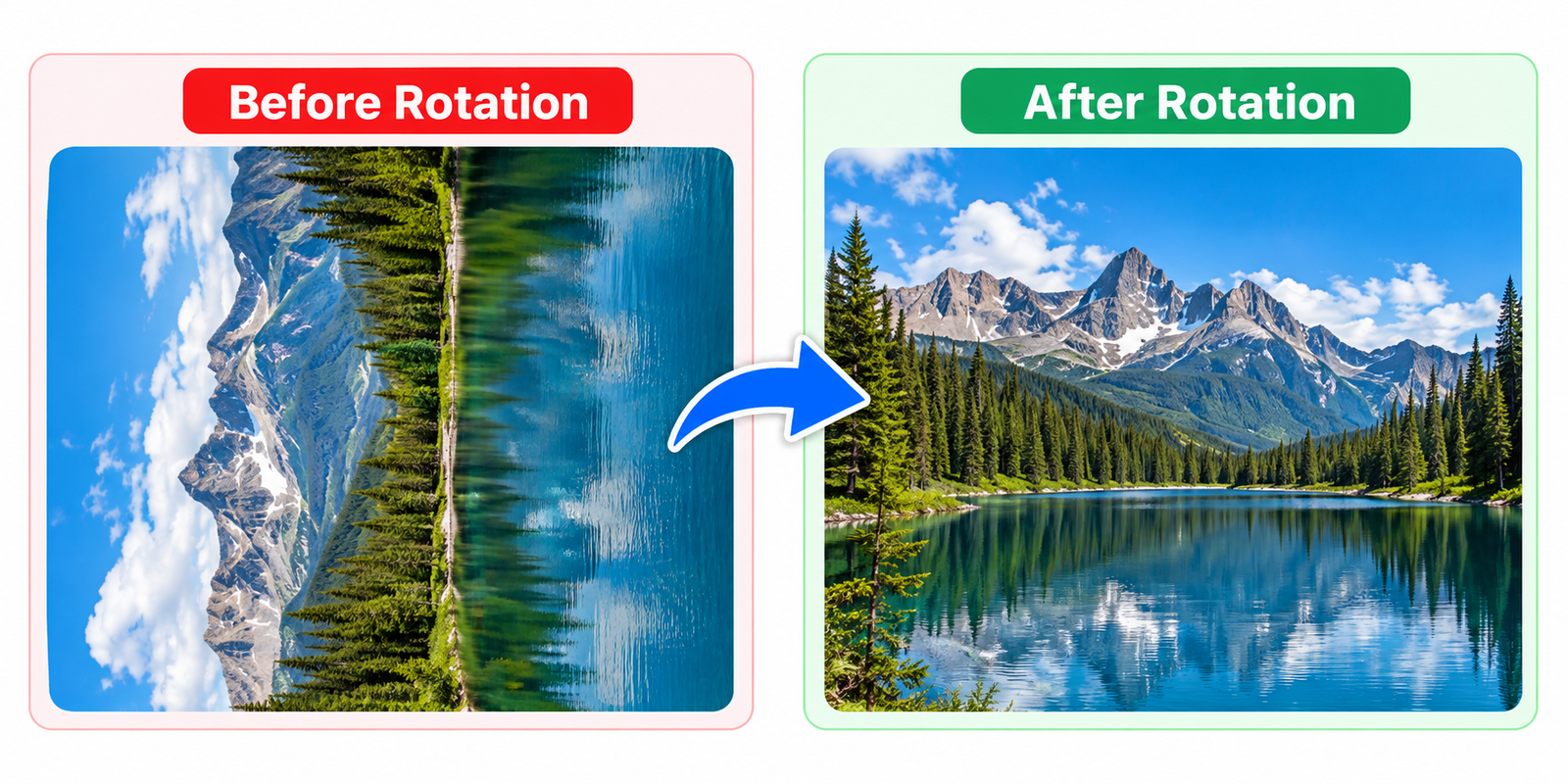
Rotate image online tool

Why Rotate Images?

Sometimes an image is saved sideways, upside down, or in the wrong orientation after taking a photo, transferring files, or editing an image. Instead of opening image-editing software, you can rotate JPG, JPEG, PNG image files online in just a few clicks. Rotating an image can make photos easier to view, share, print, or use in documents and websites.

JPGJoin lets you rotate image online individually or in batches. You can choose clockwise, counterclockwise, or 180-degree rotation and process multiple JPG, JPEG, and PNG files at once. Everything works directly in your browser, so there is no need to install additional software.

How to Rotate Images Online

Upload Your Images

You can click Select Images like JPG, JPEG, or PNG images you want to rotate to choose files from your device, or simply drag and drop multiple images into the upload area. Your selected images will appear below the upload section so you can review them before rotating.
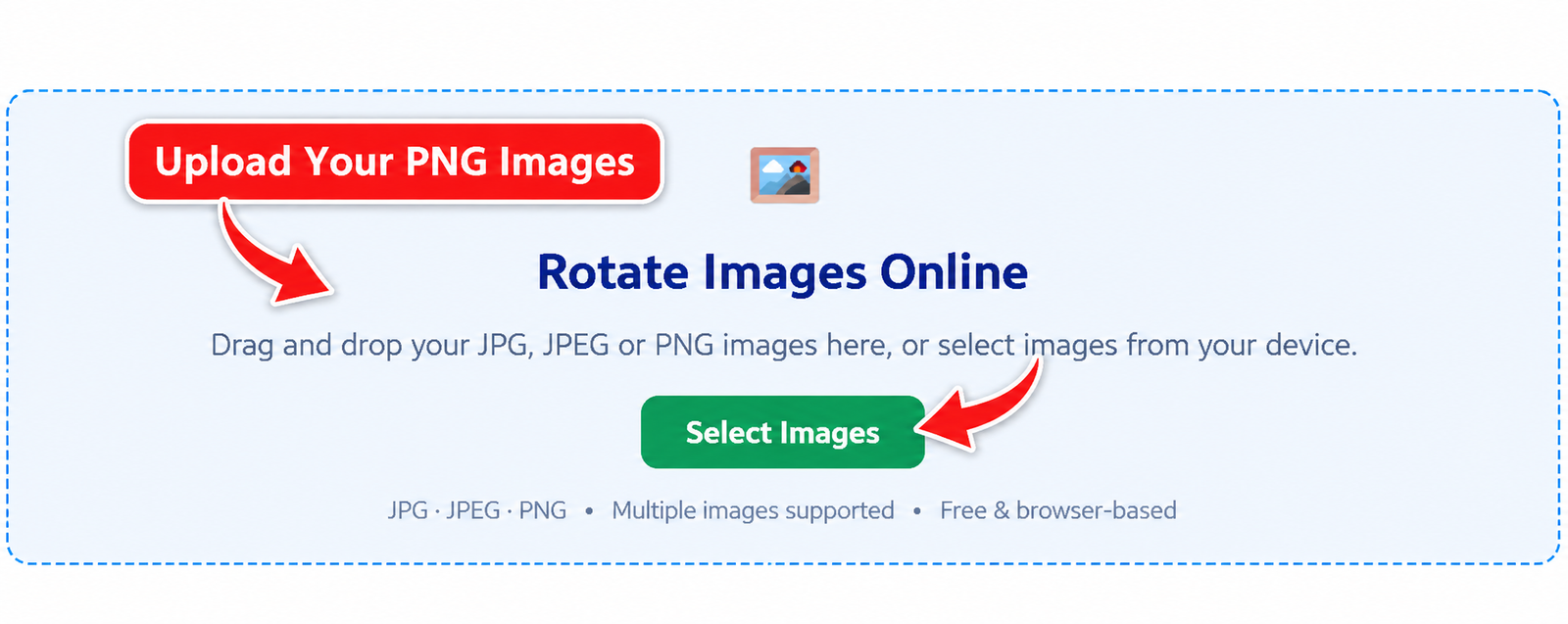
Upload JPG PNG and JPEG images to rotate online

Choose Your Rotation Settings

Select how you want to rotate your images. You can choose 90° clockwise, 90° counterclockwise, 180°, or 270° clockwise. You can also choose the background and decide whether to keep the original image format or save the rotated image as JPG or PNG.
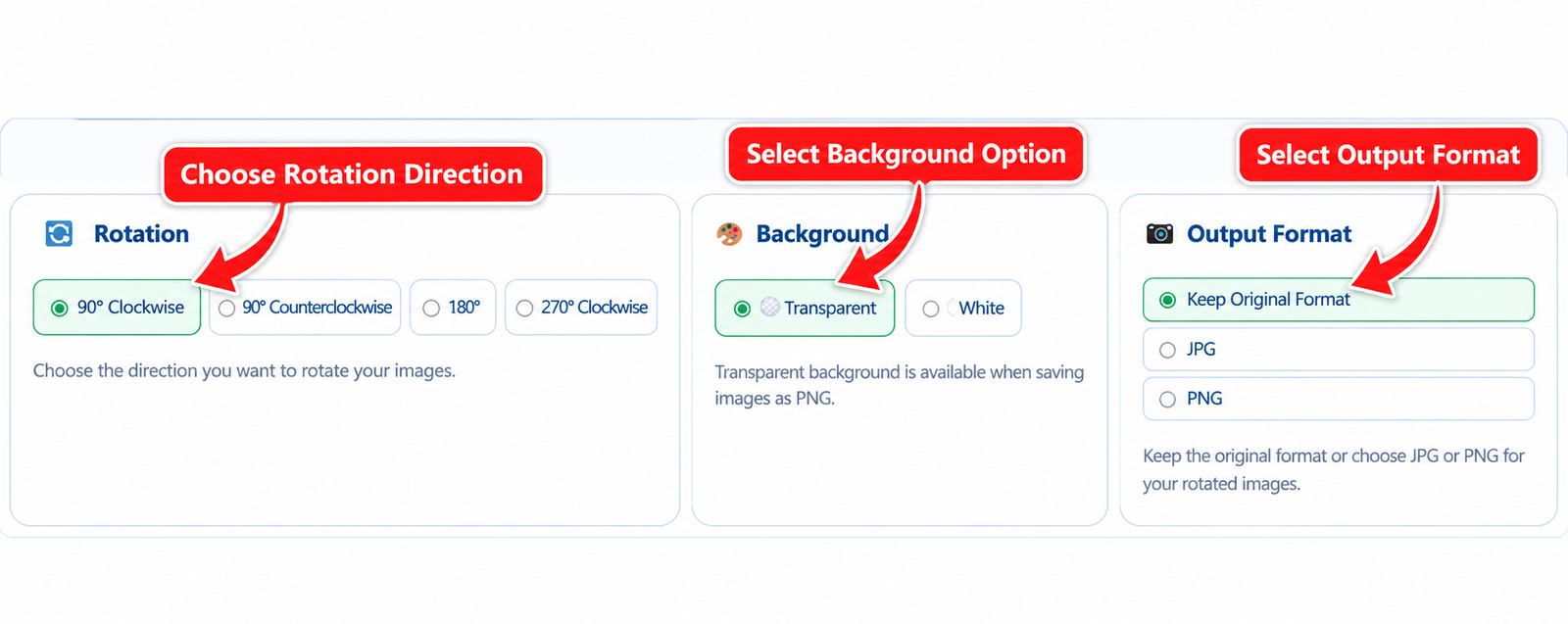
Choose rotation direction and image output settings

Rotate Your Images

Once your images and settings are ready, click Rotate Images. JPGJoin processes your selected images directly in your browser and applies the rotation you selected. Multiple images can be processed together without needing to rotate each file manually.
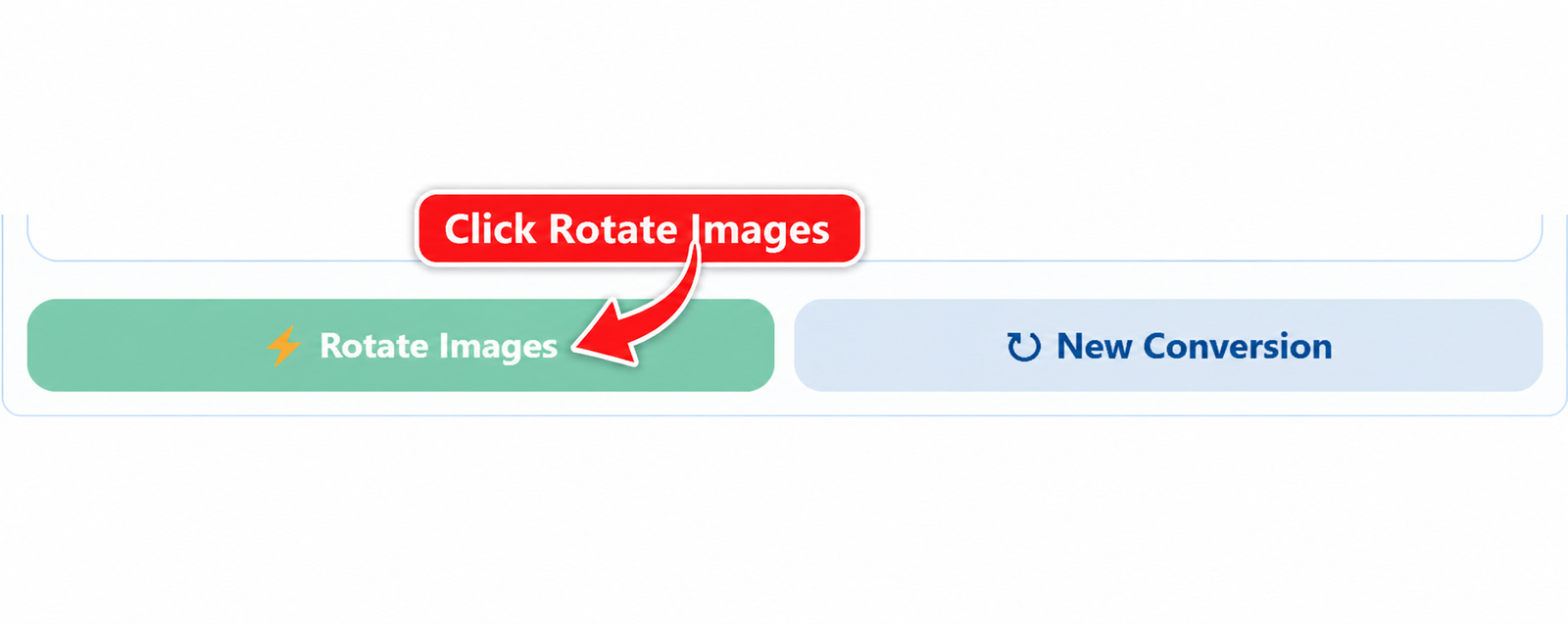
Rotate multiple images online with JPGJoin

Download Your Rotated Images

After processing is complete, your rotated images will appear in the results section. You can download each image separately or use Download All Images as ZIP to save all rotated files together.
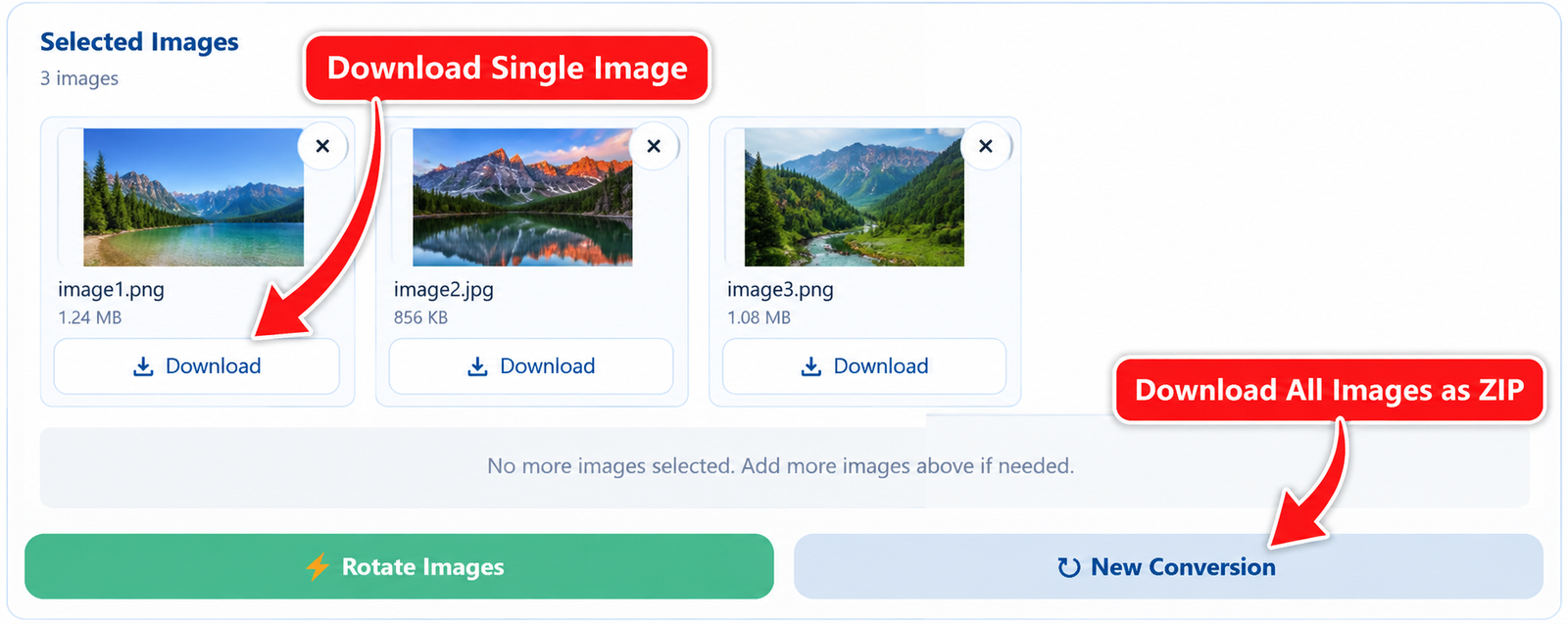
Download rotated JPG PNG and JPEG images

Rotate JPG, PNG and JPEG Images Online

JPGJoin lets you rotate JPG images, PNG files, and JPEG photos online without requiring image-editing software. Whether a photo is sideways, upside down, or simply needs a different orientation, you can change its direction quickly using the available rotation options. The tool supports multiple images, so you can correct the orientation of several files in one go instead of editing them individually.

You can rotate PNG images while keeping their transparency when using PNG output, or choose JPG when you need a widely supported image format. The browser-based process makes it convenient to prepare images for websites, documents, presentations, social media, printing, sharing, and other everyday tasks.

Rotate JPG Images

JPG is one of the most commonly used image formats, making it useful for photos and general-purpose images. If a JPG photo is facing the wrong direction, you can rotate JPG files online and download the corrected versions without changing the original files.

Rotate PNG Images

PNG images can also be rotated online while preserving transparency when PNG is selected as the output format. This is especially useful for graphics, screenshots, logos, illustrations, and other images that may contain transparent areas.

Common Uses for an Online Image Rotator

An online image rotator can be useful whenever a photo or graphic needs a different orientation. Instead of opening a desktop image editor, you can rotate image files directly in your browser and prepare them for the task you need to complete.

Fix Sideways or Upside-Down Photos

Photos can sometimes appear sideways or upside down after being transferred between devices or applications. Rotating the image can quickly correct its orientation and make it ready for viewing or sharing.

Prepare Images for Websites

Correct image orientation is important when uploading photos to websites, blogs, online stores, and other platforms. You can rotate images online before uploading them so they appear in the intended direction.

Organize Photos and Documents

Scanned documents, screenshots, and personal photos may sometimes need to be turned before they are saved or shared. JPGJoin lets you rotate multiple files together, which can make this process faster when working with a group of images.

Prepare Images for Sharing

Whether you are sending photos to someone, adding them to a presentation, or using them in a document, correctly oriented images are easier to view. You can rotate JPG, JPEG, and PNG files and download the corrected versions directly from your browser.

FAQs About Rotate Image

Can I rotate images online for free?

Yes, JPGJoin lets you rotate image files online for free. You can upload JPG, JPEG, and PNG images, choose the rotation direction, and download the rotated images directly from your browser.

Can I rotate multiple images at once?

Yes, You can upload multiple JPG, JPEG, or PNG images and rotate multiple images in one conversion. This is useful when several photos or graphics need the same orientation change.

Which image formats can I rotate?

JPGJoin supports JPG, JPEG, and PNG images. You can keep the original format or choose JPG or PNG as the output format before processing your images.

Can I rotate an image 90 degrees?

Yes, You can rotate an image by 90 degrees clockwise or 90 degrees counterclockwise. The tool also provides 180-degree and 270-degree clockwise rotation options.

Can I rotate PNG images without losing transparency?

Yes, When you use PNG as the output format, transparent areas can remain transparent. This makes the tool suitable for logos, graphics, screenshots, and other PNG images that use transparency.

Can I rotate JPG images without installing software?

Yes, JPGJoin works directly in your browser, so you do not need to install an image editor or other software. Upload your files, select the desired rotation, and download the finished images.

Can I download all rotated images together?

Yes, After processing your images, you can download individual files or use the Download All Images as ZIP option to save all rotated images together.

Is my image uploaded to a server?

The Rotate Image tool is designed to process images directly in your browser. This means the rotation can be performed locally without requiring a traditional upload to a remote image-processing server.

Scroll to Top