
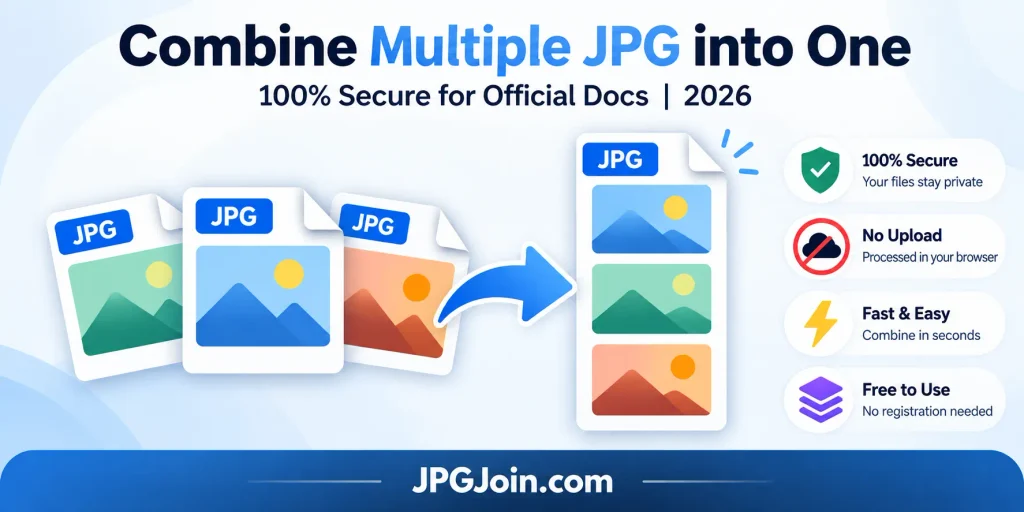
Combine Multiple JPG into One with JPGJoin when you need to organize certificates, scanned pages, screenshots, or photos into a single image. Learning how to merge multiple JPG images can make it easier to share related pictures when a website accepts only one image.
Whether you are preparing documents for a job application, organizing educational records, or combining photos, our JPG Merger tool offers a convenient way to arrange supported images online without complicated editing software. Before using any online tool for sensitive documents, check its privacy policy and file-processing method.
How to Combine Multiple JPG into One file Online?
Combine Multiple JPG into One tool provides a straightforward workflow to upload pictures, choose a layout, arrange images, and download the combined result. Follow these steps to create an organized image.
Step 1: Upload Your JPG Images
Open JPGJoin Merger tool and select the JPG files you want to combine. You can choose supported photographs, screenshots, or scanned documents from your device. Make sure your images are clear and include all the pictures you need.
Step 2: Choose Your Image Layout
Choose a suitable layout when you combine JPG files into one. A horizontal layout places images side by side, while a vertical layout stacks them from top to bottom. Select the arrangement that makes your pictures easy to view.
Step 3: Arrange Your Images
Check the order of your pictures before you Combine Multiple JPG into One. For example, place the front and back of a card in the intended order or arrange certificate scans correctly and make sure important text and details are not cropped.
Step 4: Merge and Download
Start the merging process and review the final image and check that every picture is included, the layout looks correct, and the text remains readable. Before submitting the file, confirm its dimensions and file size meet the receiving website’s requirements.
Why Combine Multiple JPG into One?
Combining pictures can make related information easier to organize, view, and share. A JPG merger online can be useful for several purposes:
- Job applications: Organize certificates and supporting documents when one image is accepted
- Visa applications: Combine related scans if the relevant instructions permit it
- Educational records: Arrange academic certificates and supporting documents
- Business documents: Put receipts, invoices, or related scans together
- Photography: Create before-and-after comparisons from multiple pictures
- Tutorials: Combine screenshots to explain a process in one image
With our JPG merger tool you can Combine Multiple JPG into One one online free when the tool supports your files and its free features meet your needs and always follow the receiving organization’s upload instructions.
How to Merge JPG Files into One Image for Official Documents
When preparing documents for job applications, visa submissions, or educational admissions, check the organization’s requirements for file format, dimensions, file size, and orientation before merging images.
Applicants submitting documents to FPSC, PPSC, or immigration authorities should follow the instructions published by the relevant organization. Some portals accept a combined image, while others require separate uploads or a PDF.
For a clear result, use readable scans, arrange images in the correct order, avoid unnecessary cropping, and keep your original files as backups. If you want to merge multiple JPG images without losing quality, avoid unnecessary resizing and inspect small text, signatures, and stamps after merging. JPEG compression may affect image details, so do not assume every tool guarantees lossless output.
Is JPGJoin a Useful JPG Merger Online?
A Combine Multiple JPG into One online can save time when you want to organize pictures without installing desktop software. Depending on its available features, JPGJoin can help you:
- Combine JPG pictures into one organized image
- Join JPG images online in supported layouts
- Merge JPG files into one image from screenshots or scans
- Prepare an image for a form that accepts a single file
- Download a combined image when the available features meet your needs
JPG Merger Online vs. Desktop Software
An online tool is convenient for simple image-merging tasks, while desktop software may provide more editing control.
| Feature | Online JPG Merger | Desktop Editor |
|---|---|---|
| Installation | Usually not required | Usually required |
| Ease of use | Convenient for simple tasks | May require learning |
| Layout options | Depends on the tool | Often offers more control |
| Internet access | May be required | Many programs work offline |
| Privacy | Depends on processing method | Depends on software and device |
What Is the Difference Between a JPG Merger and a JPEG Merger Tool?
JPG and JPEG refer to the same image format. The difference is in the file extension, not the underlying format. A Combine Multiple JPG into One and a JPG merger online tool generally perform the same task when they support the relevant files.
If you also need to work with PNG images, check the tool’s supported input and output formats before uploading.
How to Combine Multiple JPG into One Online Free on Your Phone?
You can use a compatible mobile browser to combine JPG images online without installing additional software, provided the tool supports your device.
- Open JPGJoin in your mobile browser
- Select the pictures from your photo library or files
- Choose a horizontal or vertical layout if available
- Review the order and final image
- Download the result and check where your browser saved it
The steps may vary between Android and iPhone. For official documents, confirm the required format and maximum file size before submitting the image.
Is It Possible to Combine JPG Files into One Image for Free?
Yes, you can Combine Multiple JPG into One for free using a tool that offers free merging. File limits, layouts, supported formats, and export options may vary between services.
Upload your supported pictures, choose an arrangement, and review the result before downloading. If the receiving organization requires a PDF or separate files, use that required format instead.
Frequently Asked Questions
How can I combine multiple JPG into one file?
To Combine Multiple JPG into One, upload your pictures to a compatible image merger, choose a layout, arrange the images in the correct order, and download the combined output. Check that the tool supports your files and that the final image has suitable dimensions.
Can I merge JPG files online free without installing software?
Yes. You can merge JPG images online free with a browser-based tool that offers free merging. Available features, file limits, and output options depend on the service.
Can I combine JPG and JPEG images together?
Yes, when the tool supports both extensions. JPG and JPEG refer to the same image format, although supported inputs and output options may vary.
Will combining multiple JPG images reduce their quality?
It can, depending on resizing and export settings. To help preserve clarity when you merge multiple JPG images without losing quality, start with clear originals, avoid unnecessary resizing, and choose suitable export settings. Re-encoding JPEG files can still introduce additional compression.
Is it safe to combine sensitive documents online?
Safety depends on how the website handles your files. Check its privacy policy and processing method before uploading sensitive documents. Do not assume that a Combine Multiple JPG into One processes files only in your browser unless this has been verified.
Can I combine document images for a job or visa application?
You can combine multiple JPG images into one for an application when the receiving organization permits a single combined image. Check the official requirements first, because some applications require separate uploads or PDF documents instead.